





お知らせ
シリアルコードのご利用方法について(How to use the serial code)
2020年10月9日
1. Z-aNのTOPページにアクセスし右上の「ログイン」を選択します。
(Access the Z-aN Website and click "Login" on the upper right. )
Z-aN TOPページ:https://www.zan-live.com/
ログインページ:https://www.zan-live.com/auth/login
※Z-aNアカウントをお持ちでない方は、アカウントの新規登録が必要になります(Please register a new Z-aN account if you don’t have a Z-aN account. When you do not have a Z-aN account, Please register a new Z-aN account. )
新規登録方法については【Z-aN新規登録方法】をご参照ください。
(Please refer to “How to register a new Z-aN account” for new registration process. )
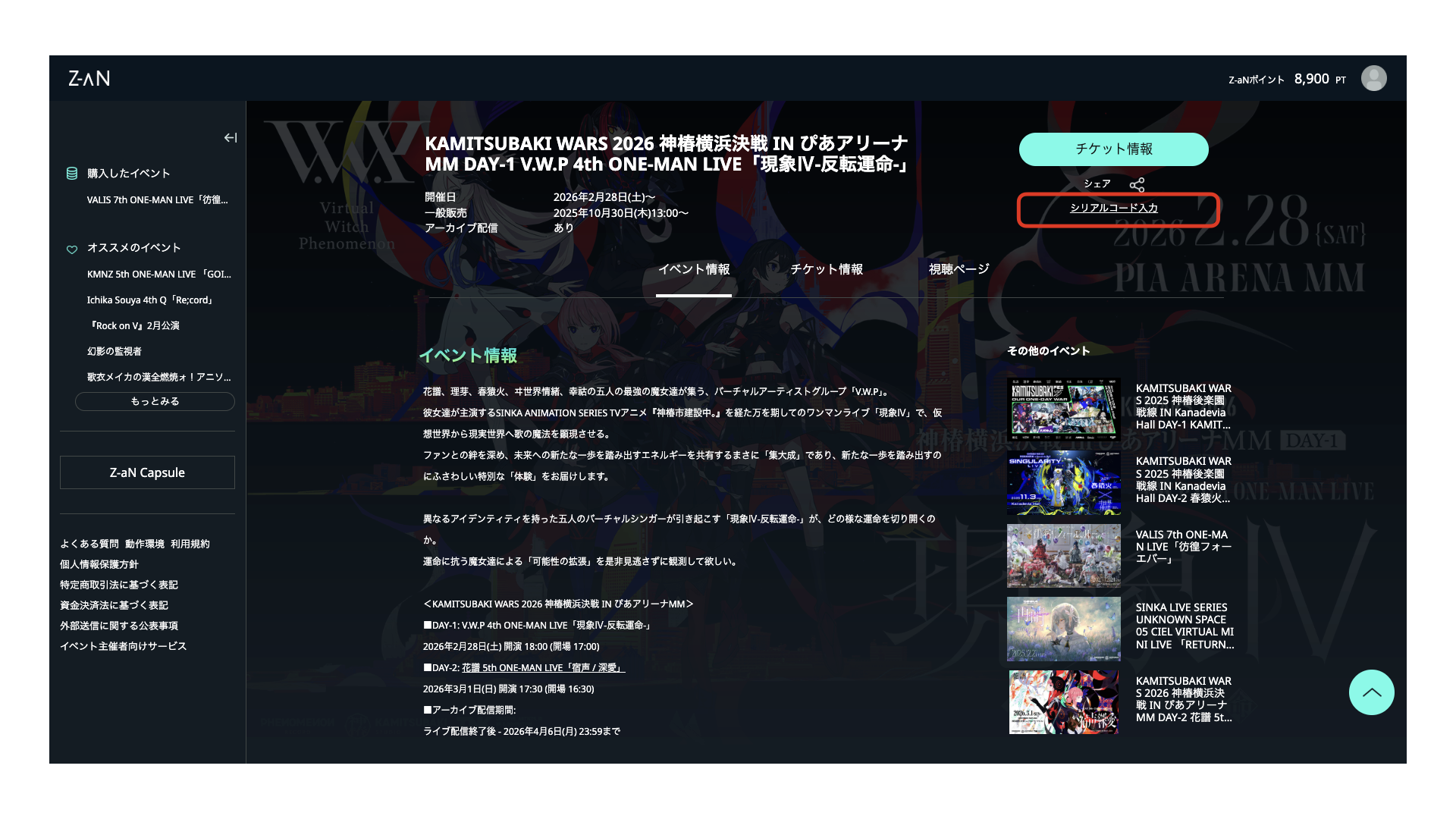
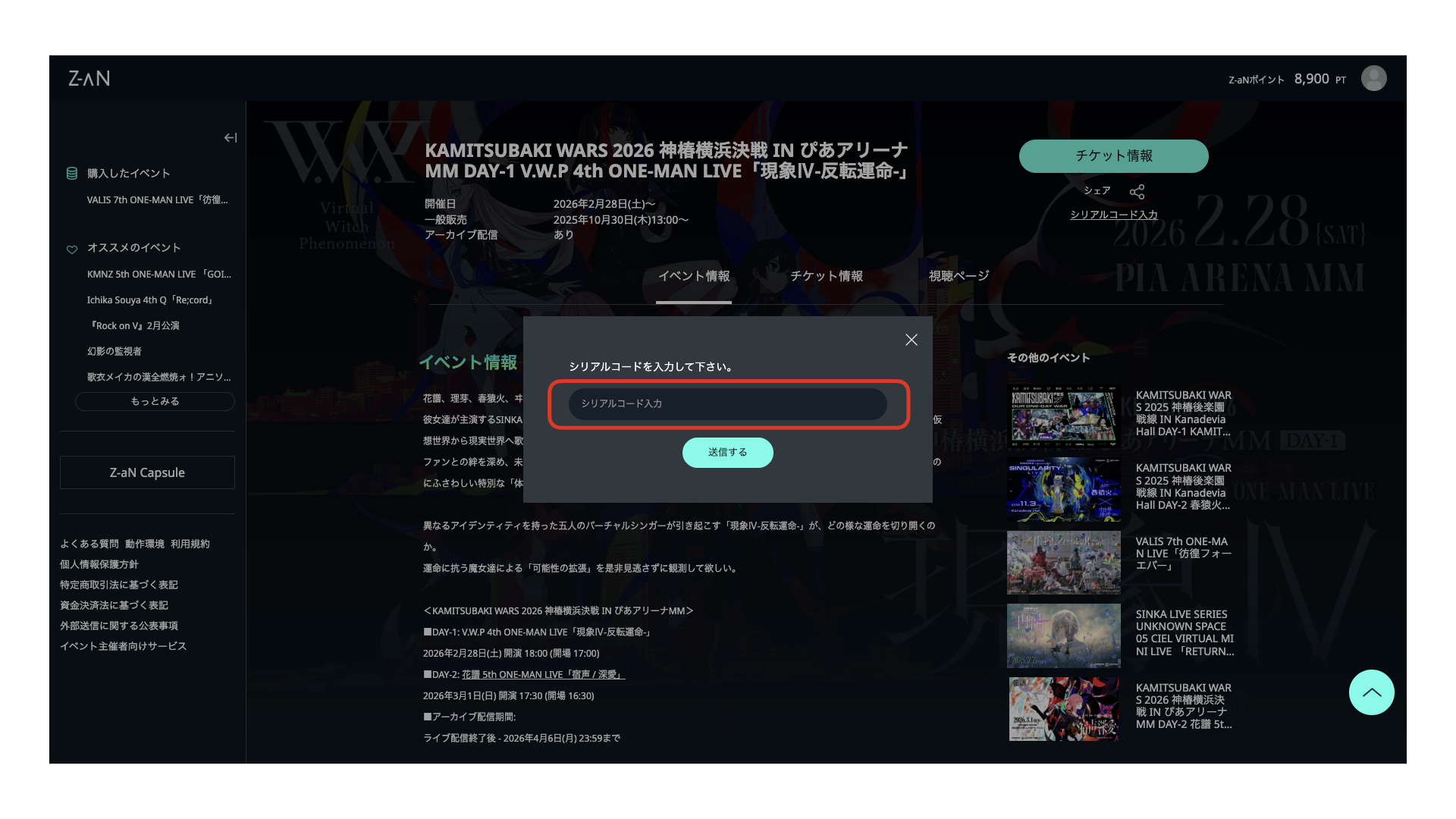
2. イベントページに移動し、「シリアルコード入力」を選択します。
( Select "Enter serial code" at the ticket information page. )
【PC】
【スマートフォン】
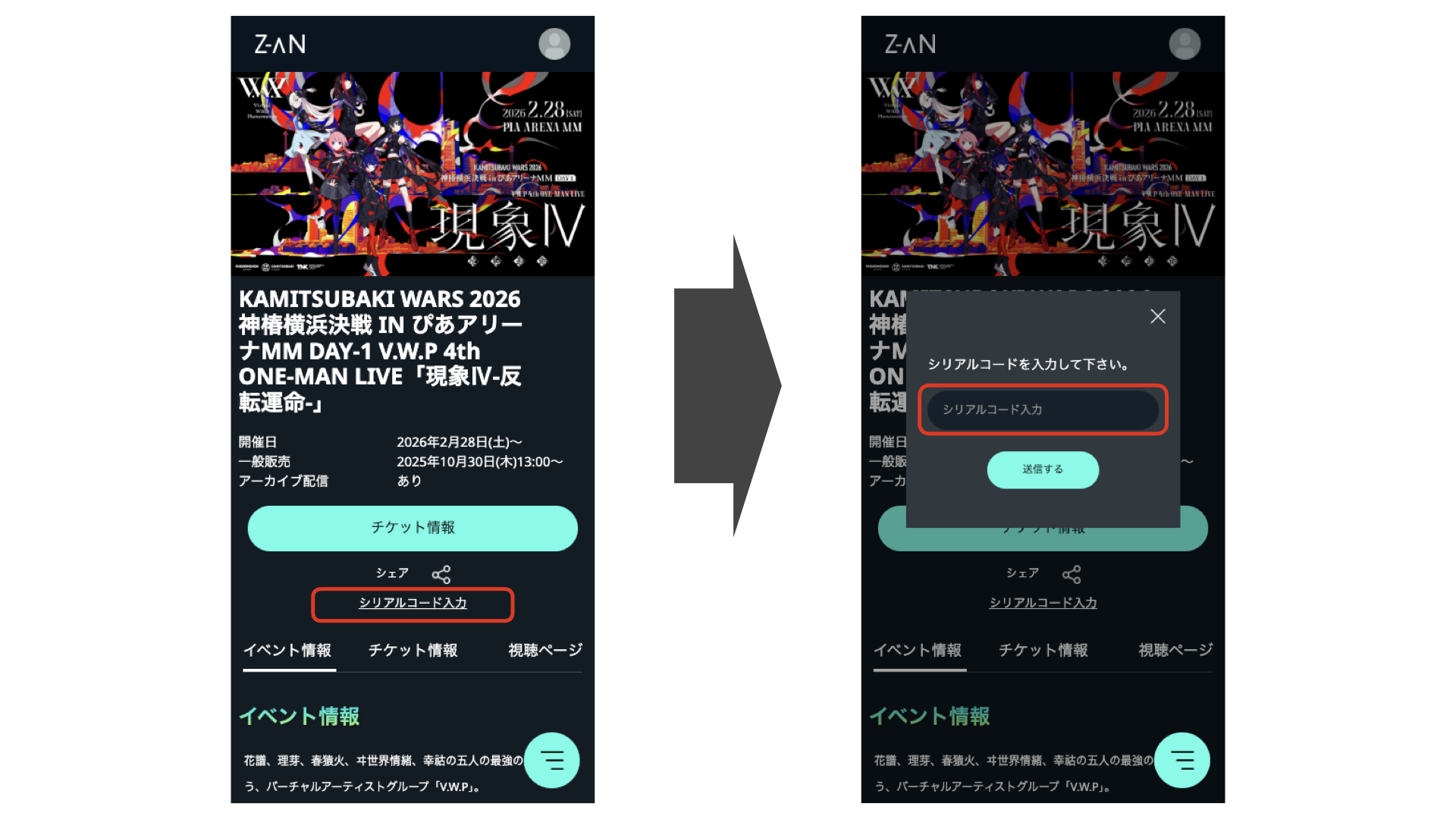
※シリアルコードの発行方法についてはチケット購入元の案内をご確認ください。
(Please check the information from the ticket purchaser for how to issue a serial code. )
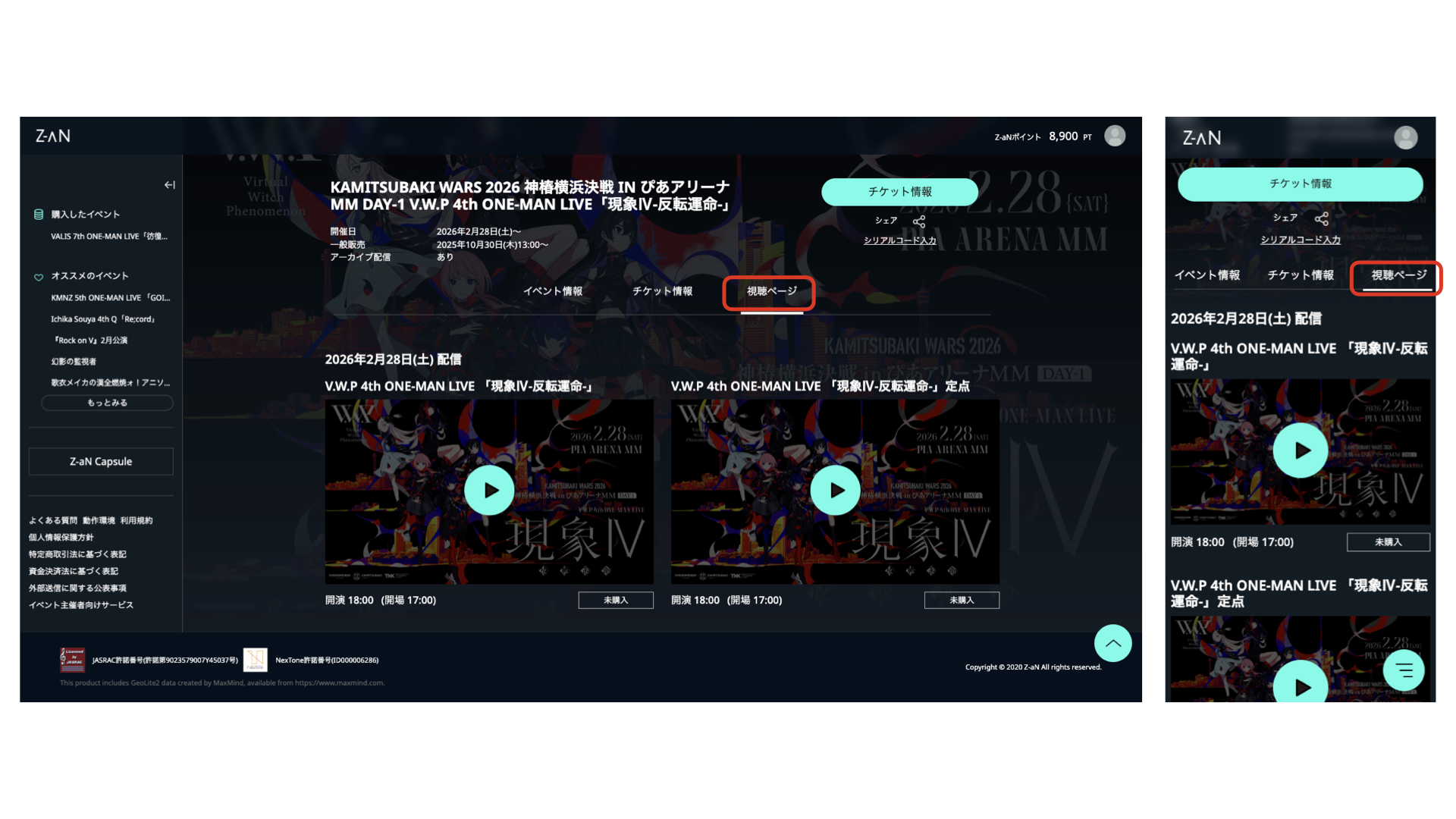
3.「視聴ページ」に移動し「入場開始までお待ち下さい」もしくは「再生マーク」に変わりましたらシリアルコードが認証されている状態です。
(If the text of "Serial code input" changes to "Watch" or "Please wait until the admission starts", the serial code has been authenticated. You can start watch it stream live on. )
【ご注意】
マイページの「プレゼントコード」に誤って入力した場合エラーが表示されます。「シリアルコード」は配信視聴ページでご入力ください。
(An error message will be shown if you enter the serial code in “Gift Code” section on My Page. Please enter the "serial code" on the streaming viewing page. )
